Explaining 3D Printing with Opus 5.5
How It Started
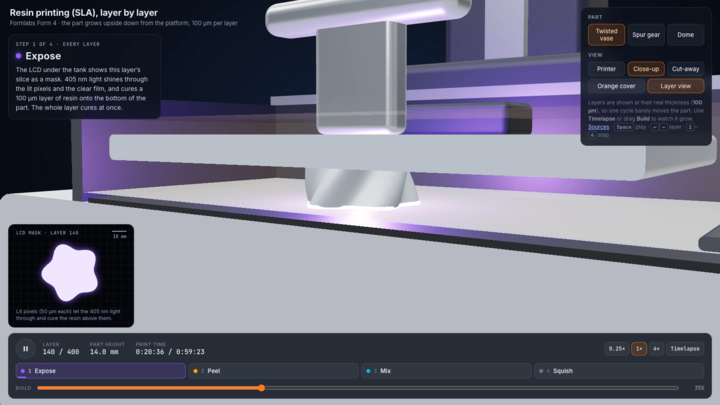
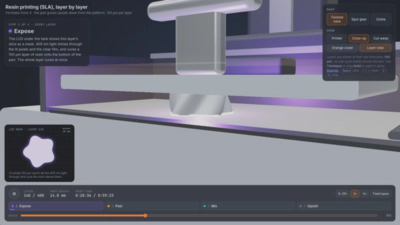
When Anthropic released Claude Opus 5.5 a few days ago, I immediately wanted to test its limits on a 3D modeling: could a language model build interactive animations showing how a 3D printer actually works? I gave it a single prompt (with max reasoning effort) asking for SLA… and the result blew me away! It generated an entire interactive 3D scene from scratch.
It did all the research on its own. It referenced the design of the Formlabs Form 4, mapped out its mechanics, and pulled in physics details from academic literature on the resin printing process. The initial output was nearly spot-on. After a few minor bug fixes, here it is!
SLA: Resin Printing on the Formlabs Form 4
Open the interactive SLA demo →
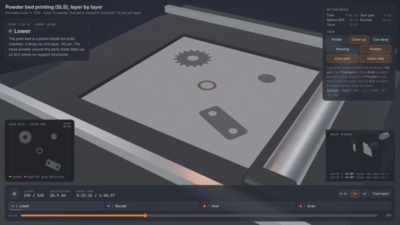
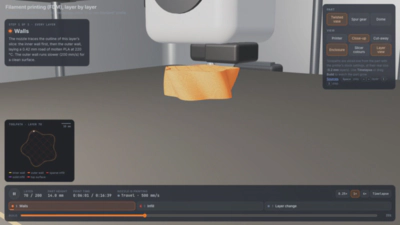
Naturally, I couldn’t stop at just one process. Next, I asked Opus 5.5 to model SLS (using the Formlabs Fuse 1+ as reference) and FDM (based on the Bambu Lab X1 Carbon).
SLS: Powder Bed Printing on the Formlabs Fuse 1+
Open the interactive SLS demo →
FDM: Filament Printing on the Bambu Lab X1 Carbon
Open the interactive FDM demo →
Takeaways
Give them a try! All three demos run directly in your browser. You can inspect individual components, switch camera angles, step through a build layer by layer, or watch the entire print run as a timelapse. Each demo also links its source papers if you want to dig deeper into the physics. Being able to interact with a model like this makes the mechanics click so much faster than reading a textbook or looking at a static diagram.
I initially had Opus 5.5 add extra details (like the peel cycle step in SLA and powder melting in SLS), which looked great, but I ultimately had it scale things back to keep the core concepts clear and uncluttered.
Remarkably, generating and polishing all three models used less than half of a single 5-hour usage window on our Team plan. (Huge thanks to my advisor and Anthropic’s AI for Science program for a free year of Team access!)
I’m really excited about where this kind of interactive tool could go. Visualizations like these could be fantastic in teaching, for letting students visualize exactly what happens in the 3D printing process. In the industry, they could also serve as quick, shared reference models for engineering and product teams across different departments.
Disclaimer: These are educational demos intended to illustrate how each process works at a high level, not exact physics simulations. You’ll likely spot a few small inaccuracies in mechanical movements or toolpaths.
I wrote this post myself; Opus 5.5 and Gemini 3.6 helped refine the text; Opus 5.5 captured the screenshots.